


Teskay
Wired Connection to RJ45 for Starlink Gen 2 Ethernet Adapter
Wired Connection to RJ45 for Starlink Gen 2 Ethernet Adapter
Couldn't load pickup availability
Ethernet Adapter for Starlink Gen 2 Standard Actuated
Add a standard RJ45 wired network connection to your Starlink Standard Actuated Gen 2 system for computers, televisions, network switches and third-party routers — with CAT6-grade construction and an outdoor-ready adapter housing.
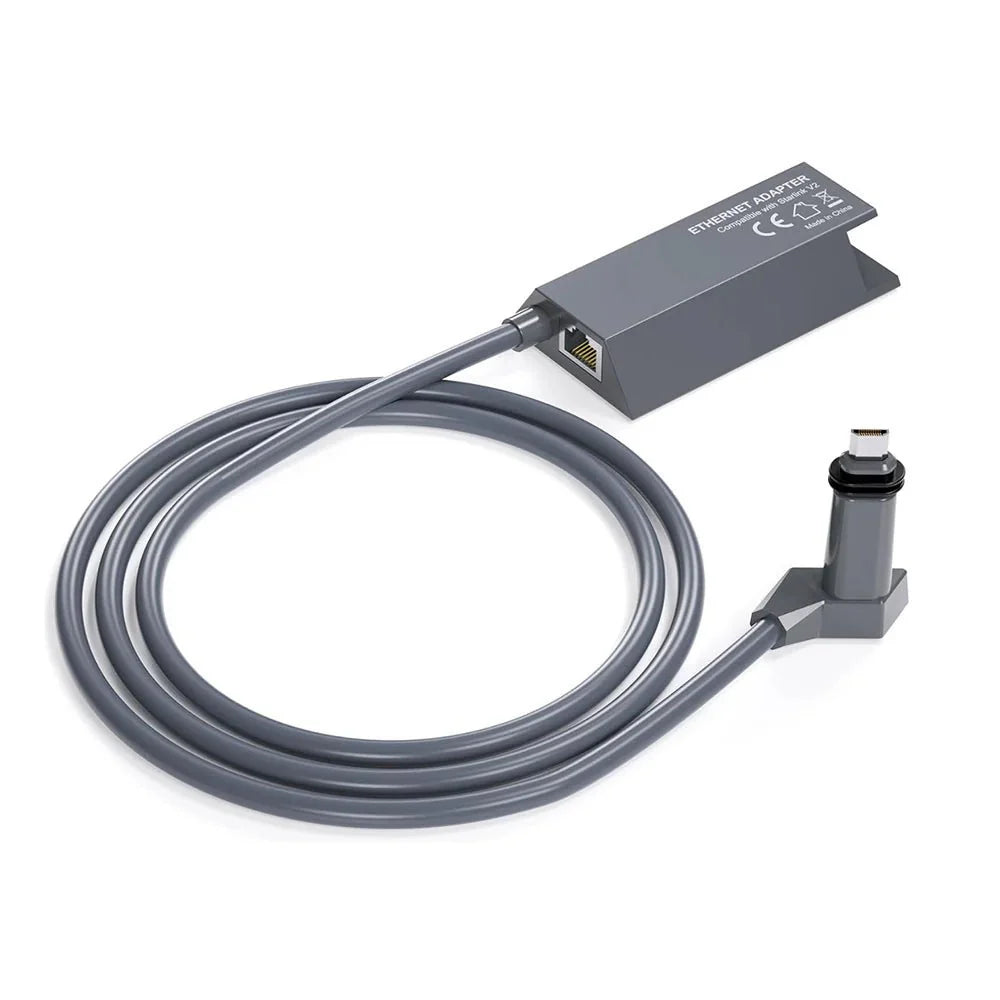
Add a Standard RJ45 Port
Adds a conventional Ethernet connection to the Starlink Standard Actuated Gen 2 network, which does not include a built-in RJ45 LAN port on its Gen 2 router.
CAT6 Shielded Construction
Pure copper conductors, gold-plated contacts and a multi-layer CAT6-grade shielding structure are designed to support stable wired data transmission with reduced interference.
IP67-Rated Adapter Housing
Manufacturer-listed IP67 protection helps protect the adapter body against dust and water exposure in demanding residential, RV and outdoor Starlink installations.
Why Add Ethernet to Starlink Gen 2?
Connect an Ethernet-equipped desktop, laptop, smart TV, printer or other compatible network device without relying solely on Wi-Fi.
Use the RJ45 output to connect the WAN port of a compatible third-party router or mesh system when you want more control over your local network.
A compatible Ethernet switch can be connected when multiple wired LAN ports are needed for several local devices.
Ethernet is useful where computers, TVs, NAS systems, printers or network infrastructure already use physical cabling.
Polycarbonate construction, shielded cable layers and manufacturer-listed weather resistance make the adapter suitable for many RV, workshop and outdoor setups.
Standard Actuated Gen 2 Only
This adapter is specifically sold for the rectangular motorized Starlink Standard Actuated Gen 2 / V2 dish system. It should not be ordered for Starlink Mini, Standard Gen 3, Gen 1, Flat High Performance or High Performance kits.
Built for Reliable Wired Signal Transmission


CAT6-grade construction is used for the adapter's wired data path.
Shielding around the internal conductors helps reduce interference and protects the cable structure.
The cable uses an exterior rubberized protective layer designed for long-term environmental exposure.
The adapter is marketed with IP67 protection against dust and water exposure.
Plug In, Add Ethernet, Connect Your Network

Verify that your system is the rectangular motorized Starlink Standard Actuated Gen 2 / V2 kit.
Disconnect Starlink power before inserting or removing the proprietary Starlink cable connections.
Insert the adapter into the Standard Actuated Gen 2 network path according to the Starlink Gen 2 connection layout.
Connect a standard Ethernet patch cable from the adapter's RJ45 port to your desired computer, switch or router.
Power the system back on and allow Starlink and the connected networking equipment to complete startup.
If a third-party router will replace the Starlink router's networking functions, enable Bypass Mode in the Starlink App. Do not enable it simply because a normal wired device or network switch is connected.

The RJ45 output can be used with compatible Ethernet-equipped computers, laptops, TVs, routers, printers and network switches. Standard Cat5e, Cat6, Cat7 or Cat8 Ethernet patch cables can physically connect to the RJ45 port.
A Starlink product being called “Gen 2” does not by itself guarantee compatibility. This adapter is sold specifically for Standard Actuated Gen 2 / V2. Starlink Standard Gen 3 and several Performance kits use different Ethernet and power architectures.
Specifications
| Attribute | Details |
|---|---|
| Product | Ethernet Adapter to RJ45 for Starlink Gen 2 |
| Compatible Starlink Kit | Starlink Standard Actuated Gen 2 / V2 |
| Standard Gen 1 | Not Compatible |
| Standard Gen 3 | Not Compatible / Adapter Not Required for Native Ethernet Setup |
| Starlink Mini | Not Compatible |
| Flat High Performance | Not Compatible |
| High Performance | Not Compatible According to Current Product Listing |
| Network Output | 1 × Standard RJ45 Ethernet Port |
| Cable Construction | CAT6-Grade |
| Conductors | Manufacturer-Listed Pure Copper |
| Contact Finish | Gold-Plated Contacts |
| Shielding | Multi-Layer Shielded Cable Construction |
| Exterior Cable Layer | Anti-Aging Protective Rubber |
| Adapter Housing | Polycarbonate |
| Manufacturer Water / Dust Rating | IP67 |
| UV Resistance | Manufacturer-Listed |
| Heat / Cold Resistance | Manufacturer Describes Heat-Resistant / Anti-Freezing Construction |
| Published Operating Temperature | Not Published |
| Published Ethernet Link Speed | Not Explicitly Published |
| Actual Internet Speed | Depends on Starlink Service, Network Conditions & Connected Equipment |
| Third-Party Router Support | Yes — via RJ45 WAN Connection |
| Bypass Mode | Required When a Third-Party Router Replaces the Gen 2 Router's Networking Functions |
| Network Switch Support | Supported — Bypass Mode Not Required for Standard Switch Use |
| External Power Adapter | Not Required as a Separate Product Power Source |
| Installation | Plug-and-Play Inline Ethernet Adapter |
| Tools Required | None for Normal Connection |
| Published Adapter Dimensions | Not Published |
| Package | 1 × Starlink Gen 2 Ethernet Adapter with RJ45 Port; Separate Ethernet Patch Cable Not Confirmed as Included |
Quick Answers
Which Starlink system does this adapter fit? +
It is designed specifically for Starlink Standard Actuated Gen 2 / V2, the rectangular motorized dish system.
Does it fit Starlink Standard Gen 3? +
No. Standard Gen 3 uses a different network and power architecture and already provides native Ethernet through its current hardware configuration.
Does it work with Starlink Mini? +
No. Starlink Mini uses a different Ethernet connection system.
Why do I need an Ethernet adapter for Gen 2? +
The Starlink Gen 2 router used with Standard Actuated does not include a built-in RJ45 Ethernet port. An adapter is therefore required to add a conventional wired connection.
Can I connect a computer directly? +
Yes. A compatible Ethernet-equipped computer can connect to the RJ45 output using a standard Ethernet patch cable.
Can I use a third-party Wi-Fi router? +
Yes. Connect the adapter's RJ45 output to the WAN port of the third-party router.
Do I need to enable Starlink Bypass Mode? +
Enable Bypass Mode when a third-party router will take over the Starlink router's networking role. Bypass Mode is not required simply to connect a normal wired device.
Can I connect a network switch? +
Yes. Starlink supports connecting a network switch through the Standard Actuated Ethernet Adapter when additional wired ports are required.
Is it Gigabit Ethernet? +
The current product pages identify CAT6-grade construction but do not explicitly publish the adapter's negotiated Ethernet link speed. This description therefore does not advertise a verified 1Gbps specification.
Will Ethernet make my Starlink internet faster? +
It provides a wired connection and can remove Wi-Fi from the local device-to-router path, but it does not increase the satellite service capacity itself. Actual internet speed still depends on Starlink service conditions and network equipment.
Is the adapter waterproof? +
The manufacturer lists the adapter with an IP67 rating. For exposed outdoor installations, all connected RJ45 cable joints should still be installed and protected appropriately for the environment.
Does the adapter need its own power supply? +
No separate wall power adapter is listed for this Ethernet adapter. It operates as part of the existing Starlink Gen 2 connection system.
Does it require software installation? +
No driver or dedicated adapter software is required for a normal wired connection. Starlink App configuration is only needed for features such as Bypass Mode.
Is an Ethernet patch cable included? +
The current product pages clearly show the Gen 2 Ethernet adapter itself but do not reliably confirm a separate RJ45 patch cable in the package. Plan to use a suitable Ethernet cable for the RJ45 connection unless your package listing specifically states otherwise.
SKU: SAD004


